01
The grid matches the referee’s mental model.
Courts as columns, slots as rows: navigation stays fluid across 8 courts.
“I see everything at a glance. What’s missing is when I need a quick decision on one court.”Head referee
From an 8-screen scheduling room to a nomadic tool that flags conflicts before they happen.
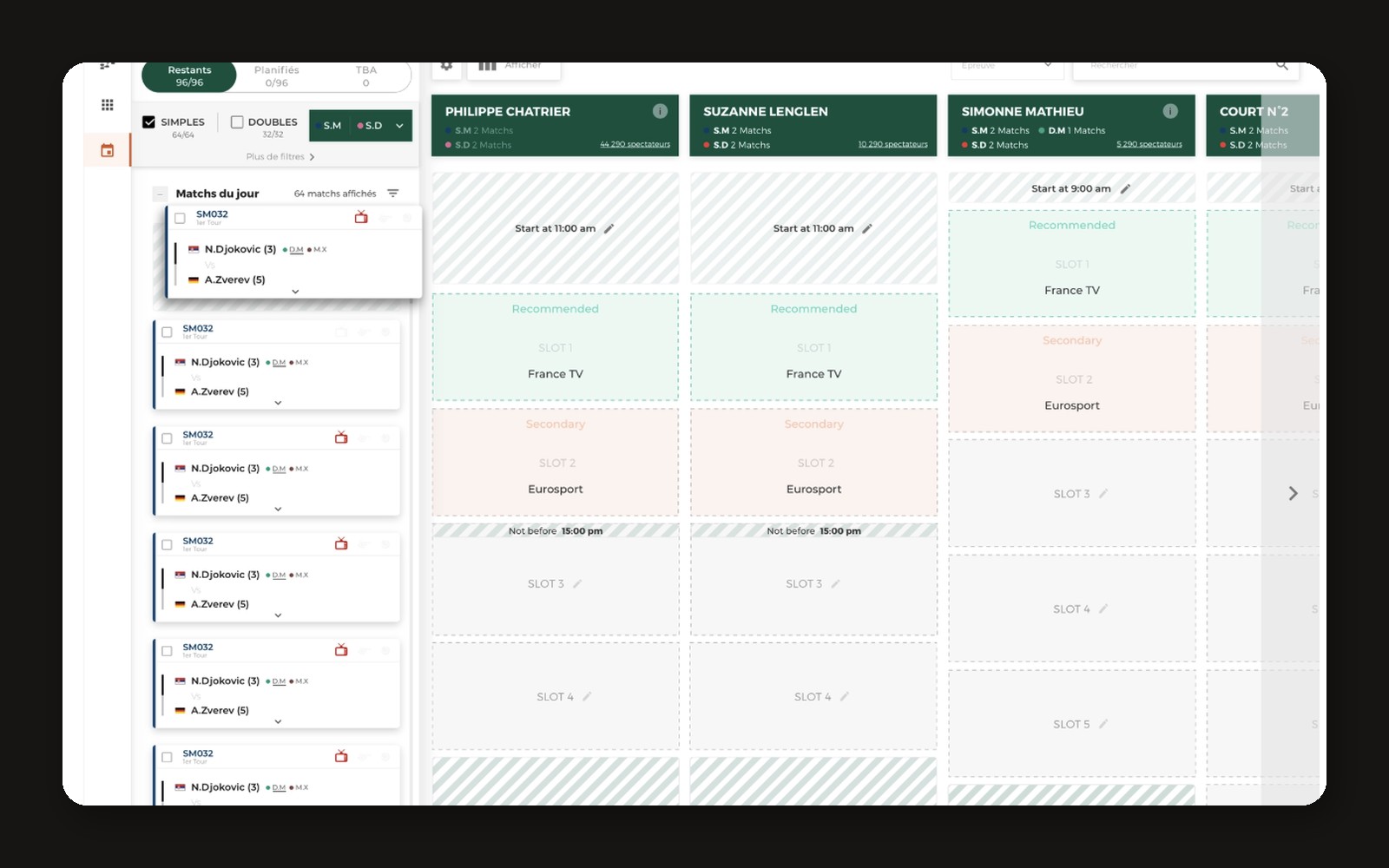
During the tournament the head referee schedules matches in real time (player availability, weather, TV broadcasts, court rotation) from a room with 8 screens. Critical constraints lived in his head; the tool only flagged a conflict after the action.
Sat next to the head referee during scheduling sessions to see how he really decides, not how the old tool says he should.
Observed the scheduling room during the tournament: 8 screens, phone calls, last-minute weather and TV changes.
Courts as columns, slots as rows: navigation stays fluid across 8 courts.
“I see everything at a glance. What’s missing is when I need a quick decision on one court.”Head referee
Nationalities, sponsors, TV slots: the tool only warned after the action, never before.
“I have to remember all the political rules. The tool doesn’t help me with that.”Head referee
Critical information showed up outside the referee’s line of sight at decision time.
Mapped the scheduling workflow and every constraint (players, TV, courts, sponsors) with the referee team.
Ran co-design workshops with developers and the product manager (6-to-1 method) to converge on one direction.
Prototyped the single scheduling board and the conflict warnings, iterating with the referee.
Tested the new version with the referee team before it was used live during the tournament.
The referee no longer needs the 8-screen room: scheduling became nomadic, and media constraints arrive directly in the tool.